
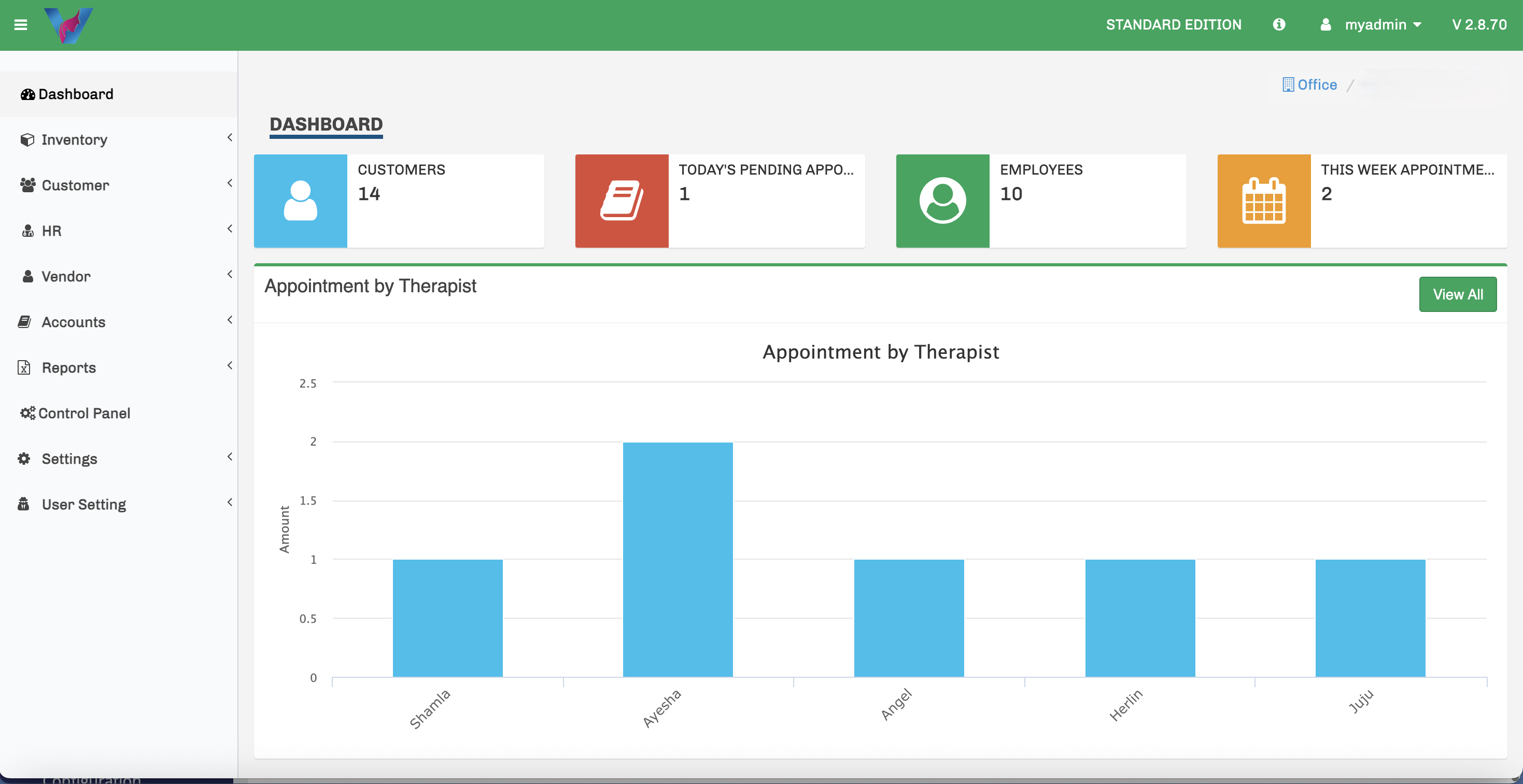
What Is Spa Management Software?
Spa management software is a business system used to organize the day-to-day information and workflows involved in running a spa, salon or beauty and wellness business. Instead of keeping customer records in one place, bookings in another and sales information somewhere else, the goal is to bring these activities into a more structured workflow.
For many spa and salon businesses, the most important areas include customer management, scheduled appointments, walk-in customers, services and packages, sales, therapist-related information and management reporting.
Why Growing Spas and Salons Need Better Business Control
A small spa may initially manage customers and bookings with a combination of notebooks, spreadsheets, messaging apps and separate payment records. As the business grows, the same approach can make it harder to find accurate information quickly.
Management software becomes especially useful when you need to answer practical questions such as:
- Which customers are booked today?
- Which therapist is assigned to a service?
- How should walk-in customers be handled alongside existing bookings?
- Which services or packages has a customer purchased?
- What sales activity has been recorded?
- What therapist-wise commission information needs to be reviewed?
- Which reports can management use to understand the business?
Essential Features to Look For in Spa & Salon Management Software
The right features depend on your operating model, but the following areas are useful for many spa and salon businesses.
Customer Management
Keep customer information, contact details and service-related records organized so staff can find important information quickly.
Appointment Management
Record scheduled appointments, selected services and therapist assignments to improve daily planning.
Walk-In Management
Handle customers who arrive without an appointment while keeping the regular booking workflow organized.
Services & Packages
Maintain services, pricing and customer packages in a structured way that is easy for the team to use.
Sales Management
Keep service, product, package and payment-related sales information connected to customer activity.
Therapist Commission & Reports
Review therapist-wise sales, commission information and business reports for clearer management visibility.
Appointments and Walk-Ins Should Work Together
Spa appointment software is most useful when it reflects how the business actually operates. Many spas and salons handle both scheduled bookings and customers who arrive without an appointment.
A practical system should therefore help staff manage scheduled appointments without making walk-ins difficult. Customer information, selected services and therapist allocation should remain easy to review as the day changes.
Customer Management Is More Than a Contact List
For a spa or salon, a customer record becomes more valuable when it helps staff understand the customer's relationship with the business. Contact information is useful, but service history and package-related information can make the record much more practical for day-to-day work.
Organized customer records also reduce the time staff spend searching through separate files or messages before serving a returning customer.
Services, Pricing and Customer Packages Need Structure
Spas and salons commonly sell individual services as well as customer packages. Keeping service names, pricing and package-related information organized helps reduce confusion and gives staff a clearer operational reference.
When evaluating software, check whether the service and package setup matches the way your business actually sells and delivers services.
Sales and Therapist Commission Should Be Easy to Review
Sales information is important for daily operations, but many spa businesses also need visibility into therapist-wise performance and commission information. If these records are maintained separately, management may spend unnecessary time reconciling information.
Look for a system that makes therapist-related sales and commission information easy to review alongside the rest of the business activity.
Reports Should Help You Understand the Business
Reports are valuable when they help management make sense of actual business activity. Useful reporting may include sales information, customer-related information, therapist-related reports and overall business summaries.
Before selecting a system, ask to see the reports during a software demo. Confirm that the information shown is useful for the decisions you make regularly.
Cloud, Offline or Hybrid: What Should You Consider?
Deployment is another important part of choosing business software. A cloud system can make remote access easier, while an offline system can be useful where local operation is important. Some businesses may prefer a combination of both approaches.
The best choice depends on your internet reliability, number of locations, remote-access requirements, backup process and how your team works. Ask the software provider to explain exactly how data access, backup and business continuity work for the deployment option they recommend.
| Option | Useful when | Questions to ask |
|---|---|---|
| Cloud | You need remote access and centralized online availability. | How are access, backups and user permissions managed? |
| Offline | Local operation is important even without continuous internet access. | How are backups handled and how is data protected? |
| Hybrid | You want a balance between local continuity and online access. | What works offline, and how does synchronization work? |
How to Choose the Right Spa Management Software
Avoid choosing software only by comparing the number of features. Start with your actual operational problems and test whether the system solves them clearly.
1. List your daily workflows
Write down how your team currently handles appointments, walk-ins, customers, services, packages, sales, therapist commissions and reports.
2. Identify the information you need quickly
Decide what owners, managers, reception staff and therapists need to see during a normal working day.
3. Ask for a real software demonstration
Do not rely only on screenshots or feature lists. Ask the provider to demonstrate the workflows that matter to your business.
4. Check ease of use
A system can have many capabilities and still create problems if staff find it difficult to learn or use consistently.
5. Ask about setup, training and support
Implementation is part of the software decision. Confirm what help is available when the system is first configured and when your staff need support.
How HYRO Spa & Salon Management Software Fits These Needs
HYRO Spa & Salon Management Software is designed around practical daily spa and salon activities. The system brings together customer management, scheduled appointments, walk-ins, services, packages, sales, therapist commission information and management reports.
You can explore the product features and screenshots on the HYRO Spa & Salon Management Software page.
Frequently Asked Questions About Spa Management Software
What does spa management software do?
It helps organize the business activities involved in running a spa, such as customers, appointments, walk-ins, services, packages, sales, therapist-related information and reporting.
Can spa software also be used by beauty salons?
Many of the core workflows are relevant to both spas and salons, particularly customer records, appointments, walk-ins, services, packages, sales and staff-related information.
Should I choose software that supports walk-ins?
If your business regularly serves customers without appointments, walk-in management can help keep those customers organized alongside scheduled bookings.
Why is therapist commission management useful?
It gives management a clearer way to review therapist-wise sales and commission information without relying on disconnected manual records.
What should I check during a software demo?
Ask the provider to demonstrate your most important real-world workflows: customer entry, appointments, walk-ins, services, packages, sales, therapist commission and the reports you expect management to use.
See HYRO Spa & Salon Management Software in Action
Tell us how your spa or salon currently works and we can demonstrate how HYRO handles customers, appointments, walk-ins, services, packages, sales, therapist commissions and reports.